Cochinoman released the first version (0.01) for a splash screen for Wordpress back in February. Since then, I have gotten some requests for more features. One of the requested feature was a list of excluded pages that would not cause the splash screen to appear. This is required for pages such as the RSS feed page because the RSS reader is blocked from getting the information.
So I’ve created the new version (0.20) with the new settings screen as shown below:

Note that there is now an area to enter the list of pages that will be excluded. The list is just the paths of the pages (without the domain name), and listed on separate lines. Normally, you would have the following 2 lines:
/feed/ /comments/feed/
The first is to exclude the RSS feed for posts, and the second line is for the RSS feed for comments. You might want to add some others to this list as well (e.g. terms of service, copyright, etc).
To download:
Download version 0.20 here from Wordpress.org.
Hopefully, there will be people that will find this new version of the plugin to be useful. If you do, please encourage me to do more coding by making a small donation. Even just $1 will help.
Updated December 3, 2009:
Version 0.30 is released.
- 17″ LCD
- Keyboard
- Power switch and adapter
- Media reader and Expresscard
- WiFi, Blutooth (optional) and HD indicators
- Video, HDMI, USB
My Toshiba Qosmio started to turn off by itself, apparently from overheating. Since I can’t have my computer turning off unexpectedly, I immediately went online to compare laptops. I didn’t want to spend $2k+ for a crazy fast game laptop, but I can’t buy one of those super cheap and slow laptops either. I also decided I wanted to try a different company to see how they are compared to Sony, HP, and Toshiba (which are the ones I’ve already tried.) At this point, I’ve gotten used to Vista so that’s no problem anymore.
One thing I noticed is a lot of the computers come with 4Gigs of RAM and so are installed with Vista 64-bit instead of 32-bit. I’ve had a few minor incompatibility problems with my Vista 64-bit but I’ve managed to get around most of them so I was willing to go that route.
Last time when I got the Toshiba, I actually wanted to get a Dell but I needed a new one that day so I couldn’t order one from Dell. This time, Best Buy had some Dell laptops in stock so I went over there to take a look and decided to buy the Studio 17 for $729.99.
The Dell Studio 17 162B laptop has these specs:
- Intel® Core™2 Duo mobile processor T6400
Features 2 processing cores, 800MHz system bus and 2.0GHz processor speed per core - 4GB SoDIMM DDR2 memory
- Slot-loading DVD±RW/CD-RW drive
- 17″ WXGA widescreen LCD CCFL display
- 320GB SATA hard drive (5400 rpm)
- Intel® Graphics Media Accelerator 4500MHD
- Intel® High Definition audio; HDMI connector
- Built-in 2.0-megapixel webcam with microphone
- 8-in-1 media reader
Supports Memory Stick, Memory Stick PRO, Secure Digital, Secure Digital Input/Output, Secure Digital High Density, Secure Digital High Capacity, MultiMediaCard and xD-Picture card formats. - 1 IEEE 1394 FireWire port
- 4 high-speed USB 2.0 ports
- Dell 1510N wireless networking mini-card (802.11b/g/n)
- Long battery life (Up to 6 hours and 33 minutes)
- Microsoft Windows Vista Home Premium Edition 64-bit operating system with Service Pack 1 (SP1) pre-installed
Basically, the Studio 17 is a retail only version of this model, and is meant to be a cheap 17″ laptop for casual users and web browsers.
The first thing I liked was the big 17″ screen which is nice and bright but the resolution is only 1440 x 900, which is on the low side for this sized screen. If you order this unit from Dell, you have the option to get higher resolution but it will cost more. So if you’re going to use this for editing high resolution photos, this might not be the right one for you.
The AC power adapter is very small compared to my Toshiba and has a 3 prong AC side with ground. The plug that goes into the laptop has a blue light which looks very cool in the dark. You can see that the AC adapter outputs power even after being unplugged by this blue light.
The power switch is on the right side of the LCD hinge and unlike the Toshiba, lights up as soon as you press it. Other indicator lights also start blinking to let you know that your computer is on. So far so good.
But when I start typing on the keyboard, I notice that the number “4″ is not working. I take the key off and use a cleaning duster can to blow out any particles and re-assemble the key and I got it to work properly. Not a great start but at least I got it to work. The keyboard layout is fine but the keys feel a little “plasticky” or “clanky” compared to what I’m used to. However, I did test the keyboard at the store before I bought it and I was able to type very fast on it.
Compared to the Toshiba Qosmio, the CPU is clearly slower, even though this laptop has 4Gigs (Qosmio had 2Gigs). Some of my heavy duty DJ applications stutter a little. On my old Qosmio, I was able to open many tabs in Firefox with websites as quickly as I could move my mouse. On my new Dell, there’s definitely some delay and stuttering when doing this same task. I guess that’s the difference between $730 and $1300.
The next thing I noticed was the speakers were back to the very cheap type that is used on most laptops. Yes, I can hear things but it’s just not the same as the super high quality speakers on my old Qosmio. This is not a fair comparison because the Qosmio is a “game” laptop so the speakers are top notch. The headphone jacks are on the right side, which for me works better than laptops where the jacks are in front.
The DVD slot is on the right, and unlike all laptops I’ve had in the past, this one is slot loading. This means you just push the DVD into the slot like the one in your car. When you want the DVD out, you press a touchpad “button” on the top row above the keyboard. I hated the touchpad area on the Qosmio and don’t like this one on the Dell for the same reasons. It’s very cool to look at with the lights, but call me old fashioned, but I like physical keys that I know I’ve pressed. However, I think a lot of people will like this touchpad area which also controls the DVD/CD play as well as launching media applications.
My old Qosmio had 2 USBs, 1 eSata and HDMI output, whereas this Dell has 4 USBs, 1 eSata, 1 Firewire, and HDMI output. The Dell is designed with no outputs on the back or front. I like this design decision because it’s always a pain to have to turn the laptop around to see the back so you can plug things in and out. Putting everything on the sides makes it a lot easier.
The battery is contained in the back “lift” that acts as a horizontal leg to lift the entire laptop higher in the back. Although, this makes the laptop thicker when traveling, I still like the extra battery time, plus the angle of the laptop itself.
All in all, this is a good middle of the ground laptop with a relatively long battery life. It’s not fast enough to be a gaming machine, but with the larger screen and keyboard, it wants to be a desktop replacement. It’s probably too big for most travelers but I don’t mind commuting with it. Even though the resolution could be higher, with my failing eye sight, I like the big 17″ screen with bigger fonts. So, this is for the non-gaming user, who wants a large screen but don’t want to pay for it. That’s would be me.
As I said in my last re-review of Honda Ya, I really like this place as a Izakaya restaurant. But this blog is supposed to be about sushi, so I decided to try it there. They don’t have nigiri sushi, but they do have rolls and hand-rolls.
As you can see above, I tried the salmon handroll, which was nothing to write home about. However, the salmon was fresh and the nori (seaweed) was very fresh, which is important for handrolls. Unfortunately, the ginger was very dry for some reason, but that’s being super picky.
Don’t come here to eat just sushi, but there’s plenty of other super tasty treats to eat here so get the sushi as a side order. Try it.
Honda Ya
333 South Alameda #314, Los Angeles, CA 90013
(213) 625-1184
Tuesday-Sunday: 5:30pm to 1am (last call about 12:30am)
Map
Asuka is located in Westwood and has been at this location for probably 20 years or so because I remember going here in the 80’s. When my cousin told me she was visiting LA with her family and wanted to go to a sushi place, I thought of this place because it’s brightly lit, and seemed like a child friendly place from my memory.
Upon entering, it all looked pretty much the same as before. Last time I was here, they had a female sushi chef, which is unusual, but not on this trip. We all sat at a table and ordered a bunch of different items. Of course, I ordered the Nigiri combination, which was above average but not top notch. But I guess that’s about what I expected from here so I was not disappointed.
All in all, this is the place to come if you don’t want anything fancy, and light well lit places to bring your family. So, don’t come here for any type of ambiance or for ordering anything fancy for a hot date.
Asuka Restaurant
1266 Westwood Blvd
Los Angeles, CA 90024
(310) 474-7412
Mon-Thu: 11:30 am – 2:00 pm
Mon-Thu: 5:30 pm – 10:00 pm
Fri: 11:30 am – 2:00 p.m
Fri: 5:30 pm – 11:00 p.m
Sat: 5:30 pm – 11:00 p.m
Sun: 5:30 pm – 10:00 pm
After resisting for about a year from talking about Twitter, I finally have to say something.
CNN “bought” the top Twitter account, which has 947,000 followers. The “sale” is not official because that violates Twitter’s terms of service, so the actual amount has not been disclosed. When the purchase was made, second place was Ashton Kutcher, followed by Britney Spears. Kutcher challenged CNN to be the first to get to one million followers, which he has the first to do.
What a world we live in now, where a regular guy can have almost one million followers on a website, beating celebrities, then sell his list to a major media outlet.
I have mixed feelings about this. First, let me say that when I was made aware of Twitter about a year ago, I wrote a post (that I did not publish) about how stupid the idea was. Then I remembered that I said the exact same thing about Myspace when they first came out so I realized that Twitter would be big as well, if my record held up. Which apparently it has.
But I digress.
In case you have lived in a cave, Twitter is a social networking website that allows users to have “followers” that are sent short messages from the user via SMS messages on their cell phones. Basically, it’s a opt-in, SMS mailing list in real time. It’s been used to get big news items out of India during the terrorist attacks, and during the Olympics.
What amazes me is that a regular person can get almost one million people to be interested enough in what he’s doing to sign up as a follower. He must have an amazing life because I don’t even want to be a follower for my own life, let alone somebody I don’t even know.
At first, it seemed like a big waste of time. But now that this guy has “sold” his account to CNN, maybe it’s not a big waste of time. Maybe it’s a way to make money. Spammers will get on this next for sure, and buying up big accounts so that they can spam followers.
Twitter hasn’t figured out how to monetize their business yet. I imagine it shouldn’t be that hard to add a little advertising at the end of each message they send out. Even if the message is just “… this message brought to you by…”
Just about the time people moved over to Facebook, I started to use Myspace. So, when Twitter becomes last years’ news, I’ll be signing up.
If you want great sound to come out of your laptop, or you’re a mobile DJ, you can either get an external sound device (via USB) or a PC Card (PCMCIA) to plug into your laptop. PCMCIA cards are about the size of credit cards but thicker. Below are some laptop cards that are on the market.

Creative Audigy 2 ZS (left), Echo Indigo DJ (middle), Creative ExpressCard X-Fi (right)
Currently, Creative Labs no longer support their old Audigy 2 Z5 PCMCIA card (left most card in picture above). This is too bad because it works really well. You can find some on sale on Ebay but it’s hard to find.
Only the new X-Fi Xtreme Audio ExpressCard is available for $79.99 (right most in picture) from Creative Labs. The X-Fi requires a ExpressCard/54 slot and will not work with the old PCMCIA or PC Card slots. But since my Toshiba Qosmio has the ExpresCard slot, I decided to try it out.
The Echo Indigo DJ is also available, bust you must have a PCMCIA slot on your laptop (see below). So the choices are pretty much down to the Echo or Creative and it just comes down to which type of slot you have on your laptop.
When I got my Toshiba, I wasn’t even aware that there were 2 different types of slots available. The 2 styles are: the old style PCMCIA slot, and now the newer ExpressCard slots. So be aware of this before purchasing your laptop.
What I like about the Echo (pictured above) is that only the larger portion sticks out of the laptop and the head phone jack is on the side. Therefore, if your slot is on the side of your laptop, you can have your cable plug in very close to your laptop without it sticking out.
The picture below shows a close-up of the Creative card with the following features:
- Headphone out / Line out / Optical out (shared 1/8″ mini jack)
- Line In / Microphone In / Optical in (shared 1/8″ mini jack)
- Speaker Docking Module connector (5.1/7.1 surround sound with the Surround Sound Upgrade kit sold separately)
Since the output equipment I’m connecting to are not state-of-the-art stuff, I really couldn’t tell any difference in qualty. Even with good head-phones on, I really couldn’t tell any difference between the units. But keep in mind, I’m not a sound engineer, or expert in this area. Both produced what I would consider quality that is above what would be needed for normal use by any consumer, and maybe even some pro-sumers.
One thing that is a problem for me with the Creative and my Toshiba is that when you press the card in, it pops out. At first, this seemed like a great feature to remove the card. However, when using it, you have to be very careful not to bump it or it will get unplugged. If you are doing a live performance, this is way too risky. Even if your cable gets pushed against your laptop, this could cause your card to be unplugged. I’m not sure if this is only a feature of the Toshiba or if that’s the way the ExpressCard slots work.
The other smaller problem with the Creative is that the jacks are located on the outside. If your slot is on the side of your laptop, and your Creative sticks out, and your cables come out from there, you will need a lot of space on the side of your laptop. If you’re cramped for space, this may not be the best solutin for you.
The bad news is, that’s all that’s available out there. Alternatively, you can get an external USB sound output device from just about anywhere from $2.90 on Amazon up to $40 or so. The Xitel MP3 Streamer is a little more expensive ($49.95 MSRP) than the cheap ones, but works just as well as the internal cards. It’s a little more expensive but it comes with a 30′ audio cable so keep that in mind when pricing.
So, if you have a PCMCIA slot on your laptop, I would go with the Echo. If you have a ExpressCard slot, I cannot recommend the Creative Labs X-Fi card unless your laptop puts the card internally. If you want to use an external device, I would recommend the Xitel MP3 Streamer, which is what I use with my Toshiba.
Last time I was at Zencu, I didn’t try a sushi roll so I decided to go back for another check. I ordered their Zencu roll, which is made up of a bunch of ingredients that I forgot to write down, but I think tuna is in there. In any case, the rolls here are pretty good and fresh. These large rolls are hard to eat so it’s probably not a good thing to order if you’re a female pretending to be demure out on a date. But for us guys, who cares.
Zencu Sushi & Grill
319 E. 2nd. Street #206
Los Angeles, CA 90012
(213) 687-7780
Map
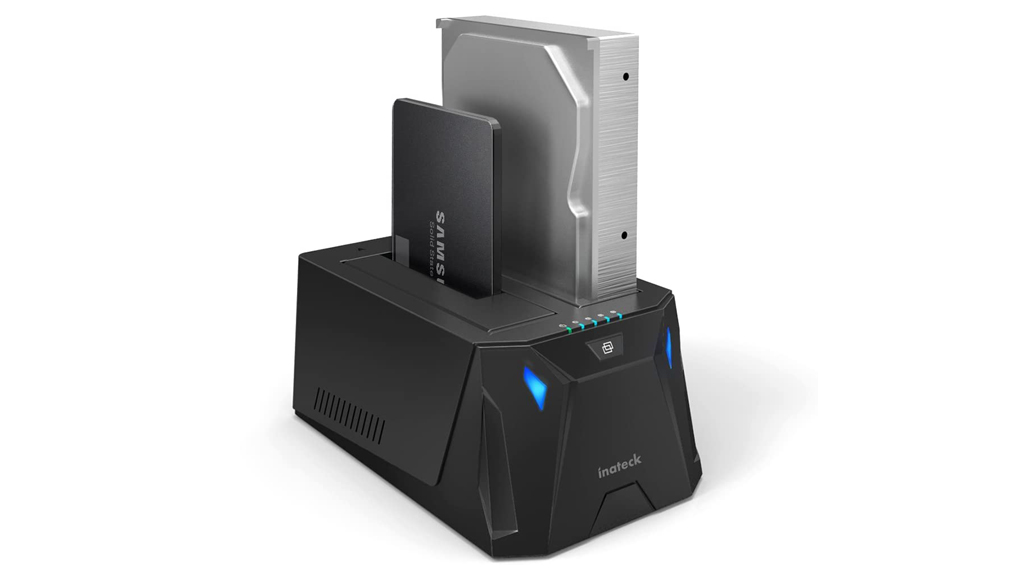
If you have some old IDE drives around but can’t access the data, you can get this Coolmax CD-350 converter from Coolmax (MSRP $33.99). Amazon has it on sale for $22.73 at the time of this writing but their prices change requently so you’ll have to look for yourself.
Compared to the Vantec Nexstar, this converter is… well, let’s just say it, ugly. But it does work. It will convert 2.5-inch, 3.5-inch, or 5.25-inch IDE/SATA drives and connect them via your USB 2.0 port to your computer. USB 2.0 is supposed to deliver 480 Mbps transfer rates. I didn’t benchmark anything so I don’t really know if this is true or not.
As for power, for 2.5-inch drives, the power is supplied via the USB bus. For others, there’s a separate power supply that you plug into the drive for power. There’s also a power switch to turn the unit on/off.
All in all, it’s not pretty, but this converter does do what it says it does.
Sometimes I’m in the mood for some red meat instead of sushi. I like the Shabu Shabu House in Little Tokyo but it’s often too crowded with a long wait. If you don’t mind paying just a little more for better quality, walk down the street half a block over to Shabu Shabu Yo.
The only problem here is they offer no parking, or validation at any parking area. So either you have to pay for parking or find street parking. This place used to be another Shabu Shabu place before, but they apparently went out of business and now have re-opened with new owners. The interior has been remodeled but still offers counter service as well as table service. The old tatami (sitting on floor) is no longer offered.
As you can see from the picture above. the quantity and quality of the vegatables are superior to the other place. They also offer much more Udon noodles. The quality of the tofu may have been slightly inferior to the other place but it’s a close call.
By the way, it was slow when I was there and the waitress was checking on me every 5 minutes. She even “cleaned” my pot during the meal, the way they do it at very expensive Shabu Shabu places. I doubt you’ll get this level of service when they are busy but it’s a good sign, if you’ve read my customer service rant.
Another bonus here is they do not close after lunch. They stay open straight through so you don’t have to try to get there when they open for dinner to avoid lines.
All in all, I recommend this place if you don’t mind paying just a tad more for better quality and you don’t want to feel like cattle.
Shabu Shabu Yo
356 1/2 E. 2nd St., Los Angeles, CA 90012
(213) 808-1211
Mon – Thr: 11:45am – 10pm, Fri-Sun: 11:45am – 10:30pm
Map

Switchblade Kitty from left to right: Heidi Shepherd, Carla Harvey, Kelly Cole, and Gabriella DeMarco.
Alcohol + Hard Rock + Nakid Chicks = Incendiary Show
Check out this group at the Roxy in West Hollywood, California on Monday nights.
Update: Switchblade Kitty is no longer playing at the Roxy. They will be playing at another location in April. Stay tuned.
Update 4/3/2009:
Starting April 11, 2009, Switchblade Kitty will be performing at Dragonfly every Saturday night. Be there if you dare!
All photos by Paul Hart.